Prototype
App Flow Sketch
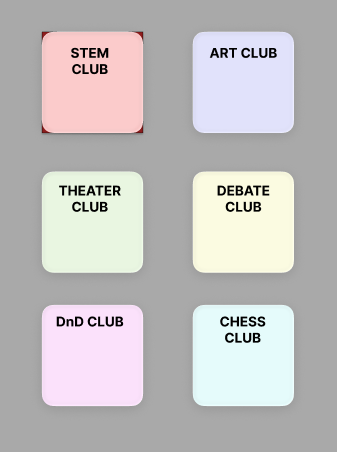
- Screen 1The user will see a screen with 6 colorful buttons, each with an illustration relating to their content (i.e. a gear for STEM) They will choose which club they would like to participate in from this list.
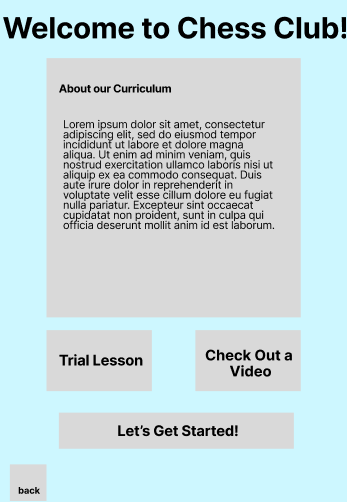
- Screen 2 Once the user chooses which club they would like to participate in, they will be taken to a page with a brief description of the course, with an option for a screen reader. They will then get to see a video demo, trial lesson, and ultimately decide if they would like to enroll in the club.
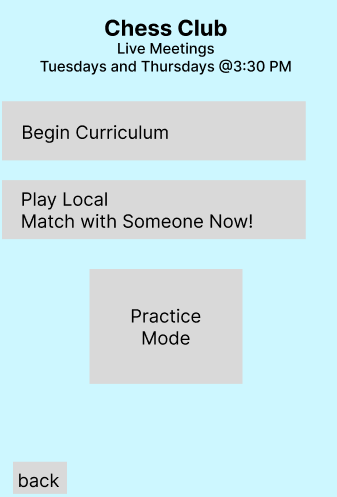
- Screen 3 The user is taken to a screen that reads "Welcome to ________". They may choose from the options to begin the curriculum, pair with a local student from another school in the district also enrolled in the club, or do an "practice/independant study mode" which would look different for each course.
Core Function Draft

Function Mapping
- pagenavigation Takes user from the homescreen to the cooresponding club screen that they chose
- starttrial Launches the "free trial" portion of each club page
- launchvideo Launches the video that is attached to each club page
- launchclub When the users chooses to start the club, this will take them to the cooresponding club home page
- launchcurriculumtakes user to the curriculum portion of the club for self study
- matchlocal matches user to another student within the district using the app for collaboration
- launchpractice launches practice/independant study mode
- back returns the user to the previous page